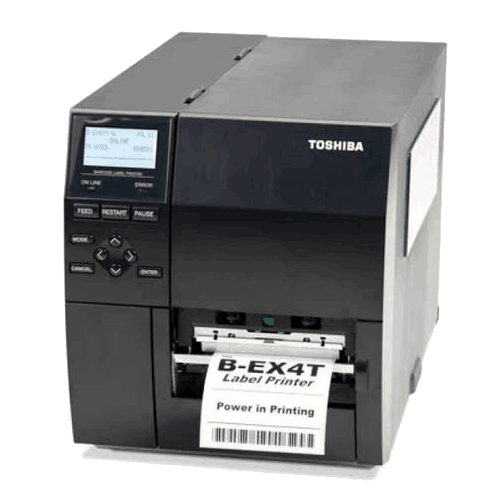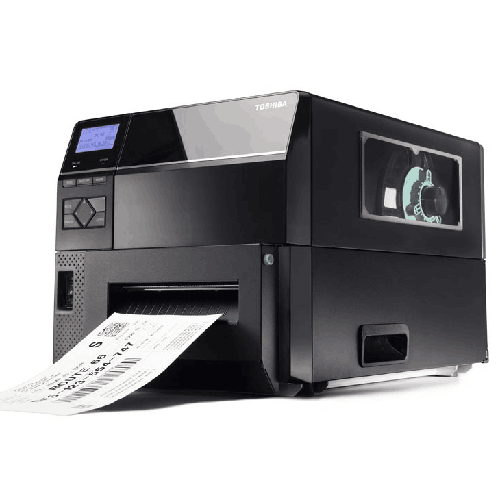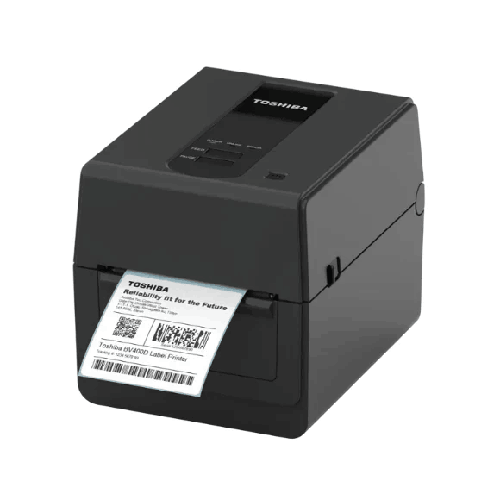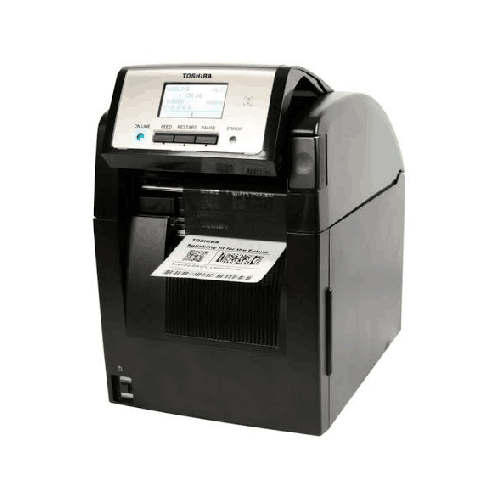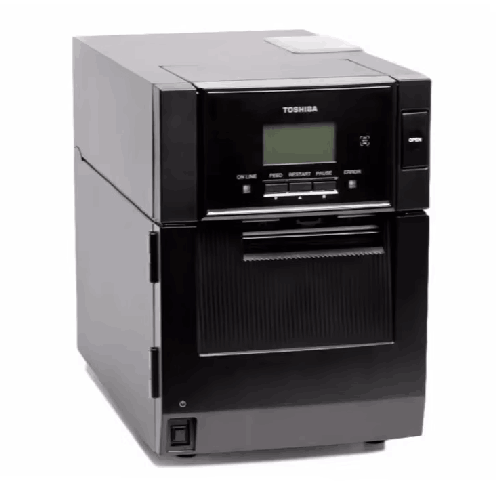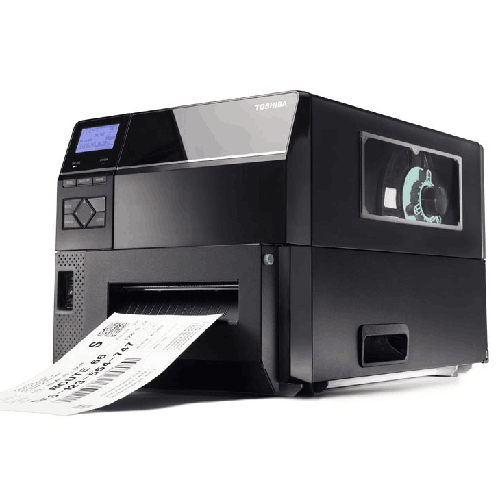
Toshiba TEC B-EX6T1-TS12-QM-R 6 Inch Wide Industrial Label Printer
Regular Price:৳0.00Availability: SKU: 1.6.2.9192
Quick Overview
-
Support
Saturday – Thursday: 09 AM - 06 PM. -
Payment
Cash on Delivery | Card | Online Payment -
Shipping Cost
Inside Dhaka 100tk | Outside Dhaka 150tk -
Warranty Policy
Read More
Description
Toshiba TEC B-EX6T1-TS12-QM-R 6 Inch Wide Industrial Label Printer in Bangladesh
The Toshiba TEC B-EX6T1-TS12-QM-R 6 Inch Wide Industrial Label Printer is designed for that “next stage” of labeling: wide-format, industrial-duty printing that fits high-volume operational reality. When you move to 6-inch label width, you’re usually doing it for one of two reasons—either your label content has grown (more fields, bigger barcodes, multiple barcodes, branding, handling marks), or your packaging size demands it (larger cartons, pallets, drums, outer boxes). In both cases, the right printer isn’t the one that merely prints wide—it’s the one that prints wide consistently, shift after shift, with strong barcode quality and predictable handling.
This is where a Toshiba TEC wide-format industrial platform becomes meaningful. The B-EX series is widely positioned for industrial environments where uptime and repeatability matter more than bells and whistles. While a lot of label printing problems in Bangladesh appear to be “software issues” or “barcode issues,” they often begin with hardware limitations: printers that weren’t meant to run heavy batches, sensors that struggle with certain media, or setups that become unreliable when the heat, dust, and pace of work increase. A properly selected 6-inch industrial printer helps reduce these friction points and supports smoother throughput.
Why 6-inch wide printing changes day-to-day workflow
A 6-inch printer is not simply a bigger version of a 4-inch model. It enables operational improvements that directly affect speed and accuracy:
Clearer carton and pallet labels
When you can print wider, you can use larger fonts for item codes, buyer references, shipment numbers, and handling instructions. This reduces reading errors on the floor and speeds up checking and loading—particularly in warehouses where workers are verifying cartons rapidly.
Better barcode scan reliability in real environments
Larger label real estate allows proper barcode sizing, spacing, and quiet zones—important for consistent scanning. In busy Bangladeshi warehouses where scanners are used quickly and labels may be slightly wrinkled due to humidity or handling, better barcode presentation can mean fewer rescans and less manual intervention.
Support for multi-barcode and data-rich labels
Many organizations require a label containing multiple barcodes: internal tracking, vendor barcode, shipment ID, and location ID. Wide printing makes that layout practical without crowding elements together.
More professional logistics presentation
For exports, distribution, and B2B shipments, clean wide labels on cartons look more standardized and reduce confusion at receiving points.
Industrial label printing as an “operation,” not a device
When you buy a printer like the Toshiba TEC B-EX6T1-TS12-QM-R, you’re buying into a labeling system. The printer becomes a station in your process—connected to your PC or network, aligned with your label stock and ribbon strategy, and configured to match your scanning environment.
In Bangladesh, wide-format label printing is often used in:
- Garments and textiles: master carton labels, shipment labels, buyer-specific carton formats
- Logistics and freight: pallet IDs, route labels, warehouse transfer labels
- Manufacturing and assembly: outer packaging labels, batch tracking, compliance labels
- Food and consumer goods distribution: carton labels for distribution channels
- Pharma distribution (secondary packaging): outer cartons and shipping boxes where readability matters
Print technology and durability strategy (general but practical)
For industrial label printing, the most important decision is whether you need long-life labels or short-life labels. Wide printers are commonly deployed where durability matters—cartons that will travel, labels that will be exposed to rubbing, or shipments that may sit in warehouses for weeks. In such scenarios, many businesses prefer thermal transfer workflows (label + ribbon) because the output can be more resistant to handling compared to short-life direct thermal labels.
Because you didn’t provide confirmed printing technology specifications for this specific model variant, this page avoids claiming an exact print method for the B-EX6T1-TS12-QM-R. If you confirm the printing method, print head type, resolution, speed, media width range, and interfaces, BME can publish a fully spec-accurate configuration summary. Until then, what can be said safely is: this is a 6-inch wide industrial label printer intended for high-demand environments where wide-format printing is required.
Operator experience in busy Bangladeshi environments
In a warehouse or factory, the printer’s usability determines how smoothly it runs across shifts. A wide-format printer is typically shared: one operator prints carton labels, another prints transfer labels for relocation, and the shipping team prints dispatch labels in batches.
A well-implemented setup for the Toshiba TEC B-EX6T1-TS12-QM-R usually focuses on:
Repeatable templates
Creating standardized label templates for each use case (carton, pallet, return, location) reduces operator error.
Controlled media choices
Choosing one or two approved label materials keeps print settings stable and reduces confusion.
Clear SOPs for roll change and calibration
Roll changes and sensor calibration, when done consistently, reduce misalignment and label wastage.
Dedicated space and stable mounting
Wide printers often perform best on a stable table or stand near the packing area, where cartons are being labeled.
Bangladesh-specific scenarios where a 6-inch industrial printer shines
A wide-format printer is most valuable when it improves throughput and reduces mistakes. Here are realistic examples:
1) Export carton labeling in garments
In garments, carton labels often include buyer PO, style, color, size ratios, carton number, shipment number, and barcodes. Wider labels allow these details to be printed in a way that warehouse workers and auditors can read quickly. If your QC team is tired of squinting at compressed 4-inch labels, upgrading to a 6-inch format can dramatically improve readability.
2) High-volume dispatch days for logistics operators
Peak shipping days in Dhaka and Chattogram often mean continuous printing. A wide printer placed beside the dispatch line helps keep labels flowing without bottlenecks. If your process includes pallet labeling and route labeling, the larger format reduces the need to split information across multiple smaller labels.
3) Multi-location warehouses with scanning checkpoints
Warehouses that scan at receiving, put-away, picking, and dispatch need labels that remain scannable. Wider labels support better barcode placement and larger human-readable text, improving success rates at each checkpoint.
4) Manufacturing packaging lines
If your production line packs items into larger outer cartons and requires outer labels for traceability, a 6-inch printer can handle the carton label requirement without forcing a compromise on layout.
Design and build quality expectations for industrial deployment
Wide industrial printers are chosen because they can hold alignment and print quality over long runs. In Bangladesh, where dust and heat can challenge electronics, customers commonly prioritize:
- Stable output over extended shifts
- Predictable media handling
- Reduced label wastage
- Smooth reprint and batch printing control
- Easy access for media changes and cleaning
While exact construction details aren’t provided for this model variant, the “industrial” classification implies it’s intended for continuous business use rather than occasional office printing.
Compatibility mindset: making it work with your existing ecosystem
Most businesses don’t buy a printer alone—they buy compatibility with their system:
- ERP or inventory software (for item codes and batch details)
- Warehouse management workflows (location labels, bin labels, pallet tracking)
- Courier/transport documentation (shipping IDs and routing labels)
- Label design software (templates, logos, multiple barcodes, variable fields)
Because you haven’t shared the confirmed connectivity ports or interface options for the Toshiba TEC B-EX6T1-TS12-QM-R, this content avoids listing Ethernet/USB as guaranteed for this model. However, BME can help you verify compatibility with your workflow before you order—especially important if you plan to share the printer across multiple computers, run network printing, or integrate it with a particular software tool.
Maintenance and care (general, safe best practices)
For wide-format industrial label printers, basic care makes a noticeable difference in uptime and print quality:
- Keep the printer in a relatively clean, low-dust area if possible.
- Use consistent media and ribbon types to avoid frequent recalibration.
- Clean the print path periodically using safe, printer-appropriate cleaning materials and methods.
- Train operators not to pull labels forcibly; instead, use controls to feed or pause jobs properly.
- If barcodes become faint or inconsistent, check consumables first and then review print settings and media alignment.
These habits help keep output predictable—critical when you’re printing carton labels that must scan at dispatch, receiving, and sometimes customs points.
What makes the Toshiba TEC B-EX6T1-TS12-QM-R a smart wide-format choice
A 6-inch printer is often purchased once and then relied on for years of operational growth. The Toshiba TEC B-EX6T1-TS12-QM-R is targeted at businesses that want to scale labeling with wider formats—without losing industrial reliability. It’s especially useful for organizations that have outgrown smaller printers and now need labels that carry more information, look more standardized, and scan more reliably.
If your business is moving into higher shipment volumes, larger cartons, or more structured warehouse processes, wide-format labeling becomes a foundation rather than an afterthought. With the right configuration and media strategy, a Toshiba TEC 6-inch industrial label printer can help your teams work faster, reduce errors, and maintain consistent labeling standards across departments.
To ensure perfect fit, confirm your required label width, printing method, connectivity needs, and expected daily volume with BME before purchase. That small planning step often prevents the most common industrial printing issues—misaligned labels, wasted stock, and inconsistent barcode quality.
✅ Key Features
- 6-Inch Wide Label Printing: Supports larger carton, pallet, and outer-box labels for data-rich layouts.
- Industrial-Grade Wide-Format Design: Built for demanding business environments where consistency is essential.
- Better Label Readability: Enables larger text and clearer formatting for fast checking on busy floors.
- Optimized for Logistics Labeling: Ideal for pallet IDs, shipment routing, and distribution workflows.
- Supports Standardized Operations: Helps maintain consistent label formats across departments and shifts.
- Improves Scan Workflow Potential: Wider labels allow better barcode sizing and placement to reduce rescans.
- Scales with Business Growth: A practical upgrade path for companies outgrowing 4-inch labeling.
- Fits Multi-Department Use: Useful for packing, dispatch, warehouse transfer, and inventory teams.
- Designed for Continuous Workflows: Suitable for batch printing cycles typical in factories and warehouses.
- Professional Wide-Label Output: Produces more standardized-looking carton labels for B2B shipments.
✅ Usage / Applications
- Master carton labels for garments and textiles export packaging
- Pallet identification labels for warehouse movement and staging
- Outer-box labels for manufacturing and assembly operations
- Distribution carton labels for FMCG and wholesale supply chains
- Warehouse transfer and location labels where larger format helps clarity
- Shipping and dispatch labels for logistics operations requiring wide layouts
- Batch tracking labels for secondary packaging and cartons
- Compliance and handling instruction labels (fragile, keep dry, orientation marks)
- Large bin/rack labels for quick visual identification
- Multi-barcode labels for complex inventory and routing requirements
✅ Benefits of This Product?
- Reduces confusion on cartons by allowing larger, clearer label layouts
- Helps speed up dispatch verification through improved readability and barcode placement
- Supports wider operational use cases than standard 4-inch printers
- Minimizes the need for multiple labels on one carton by fitting more data on one label
- Improves warehouse discipline by enabling standardized large-format label templates
- Enhances professional presentation for B2B shipments and export cartons
- Makes multi-barcode labels easier to design and scan reliably
- Supports scale-up planning as order volume and labeling complexity increases
✅ Ideal For
The Toshiba TEC B-EX6T1-TS12-QM-R 6 Inch Wide Industrial Label Printer is ideal for Bangladeshi organizations that have moved beyond basic item labeling and now need wide-format labels for cartons, pallets, and distribution packaging. It fits especially well in garment factories and export-focused businesses that require clear master carton labels with multiple data fields, as well as logistics, freight, and warehouse operations that depend on quick scanning and fast visual identification during loading and dispatch.
This model is also a strong match for manufacturers and distribution businesses that want to standardize outer-box labeling, reduce manual checking time, and create cleaner, more consistent labels across teams. If your operation has multiple shifts, several users, and peak printing periods, a 6-inch industrial printer can remove common bottlenecks created by smaller printers—particularly when labels need more space for readability, barcodes, and instructions.
✅ Why Choose the Toshiba TEC B-EX6T1-TS12-QM-R 6 Inch Wide Industrial Label Printer?
Wide-format labeling is a strategic upgrade. It’s not about printing “bigger labels” for the sake of it—it’s about making your packaging, dispatch, and inventory movement faster and more accurate. The Toshiba TEC B-EX6T1-TS12-QM-R 6 Inch Wide Industrial Label Printer is designed for businesses that require a wider print format to match real operational needs such as master carton labeling, pallet identification, and data-heavy shipping labels.
Compared to smaller industrial printers, a 6-inch wide platform gives you the freedom to create labels that are easier to read, easier to scan, and easier to standardize. You can place barcodes with proper spacing, use larger fonts for key fields, and include multiple barcodes without crowding the layout. That often leads to fewer scanning delays at dispatch points and fewer errors during receiving.
This printer is also a practical choice for organizations planning to scale. As Bangladesh’s supply chains modernize, labeling requirements tend to become more detailed—more tracking fields, more compliance information, and more standardized formats across partners. Choosing a wide-format industrial printer helps future-proof your labeling operation so you don’t need to redesign processes every time requirements increase.
If your business is experiencing cramped label layouts, frequent reprints, scanning issues on cartons, or growing demand for standardized shipping labels, the Toshiba TEC B-EX6T1-TS12-QM-R is the kind of upgrade that can improve day-to-day performance in a way teams feel immediately.
✅ Why Buy This Product from BME?
When purchasing an industrial wide-format printer in Bangladesh, the most important thing is not only getting the right model—it’s getting the right setup direction so your printer matches your labels, workflow, and environment. Business Machine & Equipment (BME) supports customers by helping them choose the appropriate wide-format labeling solution based on real usage: what you print, how often you print, where the printer will be installed, and how your team will send print jobs.
BME is a Bangladesh-based seller, which matters when you need practical buying support—product selection assistance, workflow discussion, and procurement-friendly communication for businesses. If you’re setting up labeling in a factory, warehouse, or distribution center, small decisions (label material, ribbon selection, template planning, placement) can determine whether the printer feels “smooth” or “problematic.” Getting guidance before purchase reduces that risk.
If you want to source a Toshiba TEC B-EX6T1-TS12-QM-R 6-inch industrial label printer with a seller who understands local operational needs and can help you buy with confidence, BME is a dependable choice.
✅ Buying Guide
Choosing a 6-inch industrial label printer is easiest when you plan around your label and workflow instead of the model name.
1) Confirm the maximum label width you truly need
Measure your current carton label or pallet label layout. If your data fields are cramped, barcodes are too small, or you’re printing multiple labels per carton, moving to 6-inch width can simplify everything.
2) Decide label lifespan and printing method
Ask: Will labels face friction, storage time, handling, or humidity? If yes, you’ll likely prefer thermal transfer workflows. If labels are short-term (temporary shipping labels), direct thermal may be acceptable. Confirm the exact print method supported by the B-EX6T1-TS12-QM-R variant before ordering.
3) Check daily volume and peak-day demand
Industrial printers are chosen for peak loads. Estimate labels per shift during busy days—end-of-month dispatch, seasonal shipments, audit cycles.
4) Plan connectivity and sharing
Will multiple PCs send print jobs, or is it a single workstation? If network printing is required, confirm Ethernet capability for this exact model variant. If USB-only is fine, plan cable routing and a stable PC connection.
5) Confirm your media type and layout requirements
List label types you will use: carton labels, pallet labels, black-mark media, gap labels, continuous labels. Your sensing and calibration needs depend on this.
6) Consider installation space and operator access
Wide printers need a stable surface and space for roll changes. Place the printer close to the packing line to reduce walking time and handling errors.
Common mistakes to avoid
- Buying a wide printer without confirming label width range and roll specs
- Ignoring where the printer will sit and how operators will change media
- Designing wide labels but still using undersized barcodes for scanners
- Overcomplicating templates instead of standardizing a few repeatable formats
✅ Customers Ask About / Frequently Asked Questions
1) What does “6-inch wide” mean for this printer?
It refers to the printer’s wide-format capability intended for printing larger labels commonly used for cartons, pallets, and outer packaging.
2) Is the Toshiba TEC B-EX6T1-TS12-QM-R good for carton labels in garments?
Yes, wide-format printing is commonly used for master carton labels with multiple fields and barcodes, which is typical in garments and export packaging.
3) Can this printer be used for warehouse pallet labels?
Yes. A 6-inch industrial label printer is a strong fit for pallet identification and warehouse movement labels where clarity matters.
4) Does this model support thermal transfer or direct thermal printing?
You haven’t provided confirmed print method specs for this exact variant, so it’s best to confirm with BME before ordering to ensure it matches your label durability requirements.
5) Can I use it for shipping labels in Bangladesh?
You can use wide-format printing for shipping and dispatch labels, especially when you need larger layouts or multiple barcodes. Confirm label material suitability with your workflow.
6) Is it difficult to set up a wide-format label printer?
Setup is usually straightforward with the right planning: confirm your label size, install the printer near the packing area, and standardize templates for operators.
7) What should I check before buying this model?
Confirm your required label width, printing method, connectivity needs (USB/LAN), and your expected daily printing volume.
8) Can one printer serve multiple departments?
Yes, wide-format printers are often shared across packing, dispatch, and warehouse teams—especially when templates are standardized.
9) Do I need special label designs for 6-inch printing?
You’ll typically redesign templates to take advantage of the extra space—larger fonts, better barcode spacing, and clearer layout.
10) How do I keep barcode print quality consistent?
Use consistent media, keep templates standardized, and maintain basic cleaning routines. If quality drops, check consumables and alignment first.
✅ Why Buy This Product
If your operation is labeling cartons, pallets, or large outer packaging—and your current labels feel cramped, hard to read, or inconsistent at scanning points—moving to a wide-format industrial printer is a practical upgrade. The Toshiba TEC B-EX6T1-TS12-QM-R 6 Inch Wide Industrial Label Printer is built for businesses that need bigger labels without sacrificing industrial workflow discipline.
A 6-inch printer helps you print clearer carton labels, place barcodes properly, and standardize layouts across teams. That translates into real outcomes: faster checking at dispatch, fewer scanning delays, and better presentation for B2B shipments. For garments, logistics, and manufacturing in Bangladesh, wide-format labeling often becomes the foundation for smoother operations as volumes increase.
Order the Toshiba TEC B-EX6T1-TS12-QM-R today from BME and build a labeling system that supports high-volume work, cleaner shipping processes, and scalable warehouse control.
What is the price of Toshiba TEC B-EX6T1-TS12-QM-R 6 Inch Wide Industrial Label Printer in Bangladesh?
Write a review
Question Answer
Have question about this product? Get specific details about this product from expert.