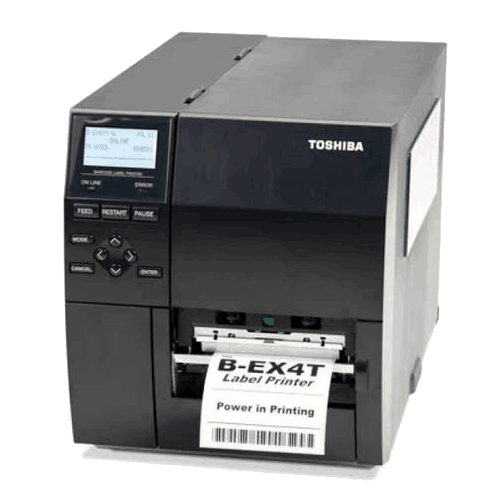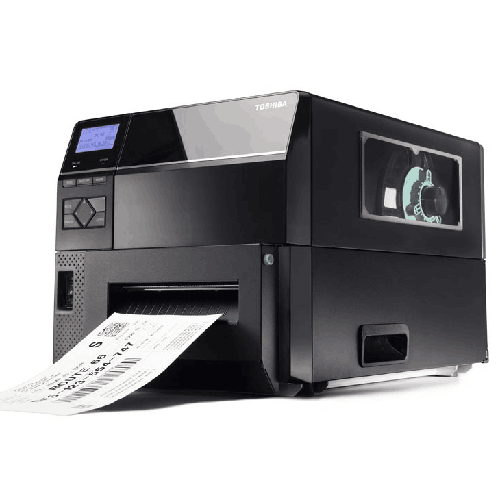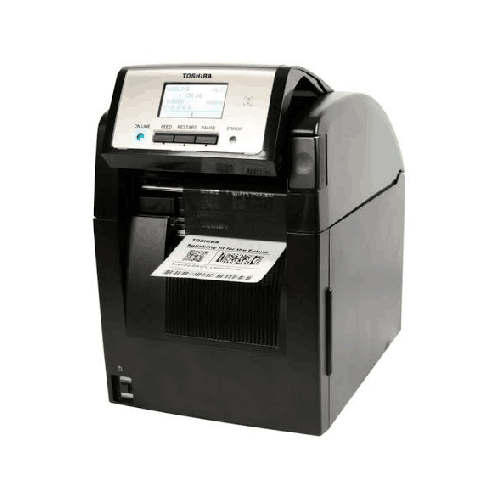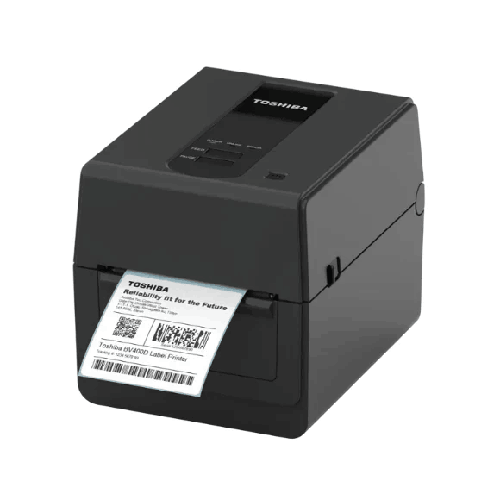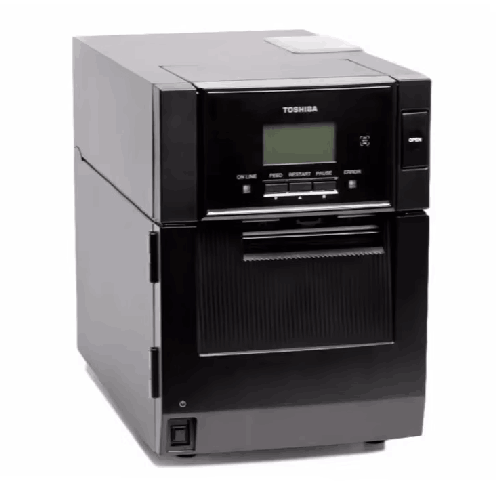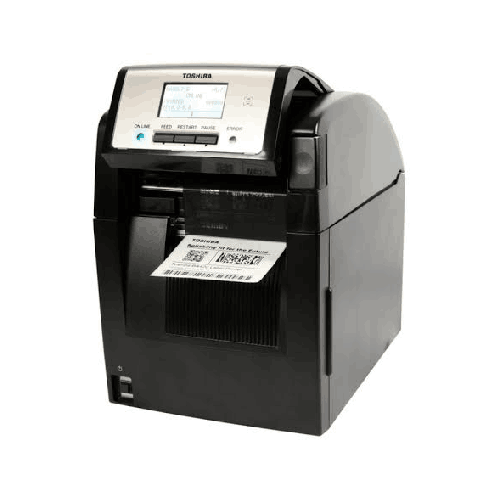
Toshiba BA420T Industrial Desktop Thermal Label Printer
Regular Price:৳0.00Availability: SKU: 1.6.2.9194
Quick Overview
-
Support
Saturday – Thursday: 09 AM - 06 PM. -
Payment
Cash on Delivery | Card | Online Payment -
Shipping Cost
Inside Dhaka 100tk | Outside Dhaka 150tk -
Warranty Policy
Read More
Description
Toshiba BA420T Industrial Desktop Thermal Label Printer in Bangladesh
That’s exactly where the Toshiba BA420T Industrial Desktop Thermal Label Printer makes sense. It’s designed to deliver industrial-grade label printing in a compact, desktop-friendly footprint—without sacrificing the essentials that serious workflows require: predictable daily duty, flexible print methods, operator-friendly controls, and environmental ranges that align with real workplaces across Bangladesh.
The Toshiba BA420T supports thermal transfer and direct thermal printing, which gives businesses a practical advantage: you can produce durable labels for long-term use (typical in inventory and product identification) as well as quick, short-life labels (common in dispatch and temporary tracking). It uses a flat head thermal print head, includes 128 MB (FROM) and 128 MB (SRAM) memory, and is built with a clear operator interface—an LCD display plus LED indicators and simple control keys. Together, these features create a label printer that feels “easy” for operators but “serious” for operations.
Understanding the “industrial desktop” category in Bangladesh
Many Bangladeshi buyers get stuck between two categories:
- Desktop printers that are affordable but struggle when label volume increases
- Large industrial printers that are powerful but bulky and sometimes excessive for the actual workload
The Toshiba BA420T sits in the middle. It’s a desktop-sized printer with industrial intent, rated for up to 5,000 labels/day duty cycle. That number matters because it reflects the type of daily workload the printer is designed to handle. For businesses printing a few hundred labels occasionally, almost any printer might survive. But for businesses printing thousands of labels regularly—warehouse labels, stock labels, shipping labels, product identification tags—you need a device engineered for repetition.
In Bangladesh, this daily-volume sweet spot is common in:
- Warehouse and distribution teams in Dhaka, Narayanganj, Gazipur, and Chattogram
- Retail back offices that print product labels, shelf labels, and price/stock tags
- Pharmaceutical distribution environments where barcode readability matters
- Light manufacturing and packaging lines that require batch and traceability labels
- Service centers and spare parts shops that label items, bins, and job tickets
The BA420T is designed to support these routine but demanding use cases without turning printing into a daily troubleshooting exercise.
Two printing technologies, one printer: thermal transfer and direct thermal
The BA420T’s support for both print technologies is one of its most practical strengths.
Thermal transfer printing (label + ribbon)
This method is widely preferred when labels must remain readable for longer periods and resist smudging or fading due to handling. It’s commonly used for inventory labels, product labels, carton labels, and asset tags—anything that might be scanned repeatedly or stored for weeks/months.
In Bangladeshi warehouses, thermal transfer labels are often used on racks, bins, cartons, and storage shelves because they stay clear through daily activity—forklift movement, stacking, friction from handling, and the general wear of busy environments.
Direct thermal printing (no ribbon)
Direct thermal is often chosen for short-life labels—temporary shipping labels, internal movement labels, or quick-use tags where speed and simplicity matter. If your eCommerce or dispatch team needs a rapid print-and-stick workflow, direct thermal can be operationally convenient.
Having both options in a single printer gives your operation room to grow. You can start with one method, and later expand your label strategy without replacing the hardware.
Flat head printhead: a practical workhorse for daily labeling
The flat head thermal print head is a common industrial standard because it suits broad everyday labeling needs. In daily use, what matters is output consistency: barcodes that scan quickly, text that remains crisp, and printing that doesn’t feel “temperamental.”
In many Bangladeshi workplaces, label printers are operated by different team members across shifts. Print consistency becomes critical because you can’t afford a situation where labels look different depending on who set the printer. A stable printhead type supports a more standardized workflow, reducing reprints and scan problems.
Memory built for stability and repeated templates
The Toshiba BA420T includes 128 MB FROM and 128 MB SRAM. While memory numbers can sound technical, the business benefit is straightforward: smoother handling of print jobs, improved stability for repeated label formats, and better performance for batch printing.
If you print the same set of labels repeatedly—like bin labels for a new warehouse section, product labels for daily production, or shipping labels for dispatch—reliability matters more than occasional peak speed. Sufficient memory supports that steady performance.
Operator interface designed for real working conditions
A printer can have excellent hardware, but if operators struggle to understand what it’s doing, productivity drops. The Toshiba BA420T includes:
- LCD screen (graphic 128 x 64 dots)
- 2x LED indicators
- 3x key control
- Operator keys: Feed, Restart, Pause
This interface design is ideal for practical daily work. Operators can quickly see status, feed labels after loading, pause jobs when needed, and restart without guesswork. In a busy packing desk or warehouse station, those small controls reduce delays and help operators recover from minor interruptions without escalating to IT or supervisors.
Top opening media loading: faster roll changes at the station
The Toshiba BA420T uses top opening media loading. For many Bangladeshi businesses, printers are placed on packing benches where side access may be limited due to walls, carton stacks, or other equipment. A top opening design can make roll loading and ribbon changes more straightforward, reducing downtime during peak hours.
When roll changes take too long, it creates a bottleneck—packers wait, dispatch queues grow, and productivity drops. Faster access helps the workstation keep moving.
Designed to fit in working spaces, not only in showrooms
With dimensions of 245 x 414 x 333 mm and weight 15 kg, the BA420T is sturdy enough to feel stable in industrial usage, while still being desktop-friendly. The weight can actually be a benefit in busy environments: a heavier unit typically stays planted on the table, doesn’t shift during operation, and feels less “fragile” than lightweight consumer devices.
This makes it a strong match for:
- Packing tables in eCommerce fulfillment
- Warehouse labeling desks near receiving/dispatch
- Retail back-office counters
- Production labeling corners in light manufacturing
Operating environment suited for Bangladesh climate realities
Bangladesh conditions are not always ideal: hot afternoons, humid monsoon months, and workplaces without fully controlled air conditioning. Toshiba provides the BA420T’s environmental specifications, which helps businesses plan responsible placement and expectations:
- Operating temperature/humidity: 5°–40°C, 25–85% RH non-condensing
- Storage temperature/humidity: -40°–60°C, 10–90% RH non-condensing
These ranges are especially relevant for warehouses and production areas. “Non-condensing” is the key phrase: like all thermal printers, the BA420T should be kept away from conditions that create condensation (for example, direct exposure to moisture or rapid temperature shifts that cause water droplets). If you keep it in a dry, ventilated area and avoid direct humidity sources, you can maintain stable performance.
Power input that fits diverse sites across Bangladesh
The Toshiba BA420T supports AC 100–240 V, 50/60 Hz, which is practical for many power environments. In Bangladesh, where power stability can vary depending on area and building infrastructure, a wide-range power supply is a meaningful advantage.
For best operational safety—especially if printing is mission-critical—many businesses use a UPS or voltage stabilizer to reduce risk from fluctuations. While the BA420T can accept a broad input range, protecting electronic equipment is still a smart investment.
Real-life usage scenarios: how the Toshiba BA420T supports daily operations
To see where the Toshiba BA420T delivers value, imagine these common Bangladesh workflows:
1) Warehouse receiving and put-away
A warehouse receives goods daily. Workers print location labels and item labels to manage put-away. The BA420T supports steady printing and helps keep labels consistent so scanning works across receiving, storage, and dispatch.
2) Inventory cycle counts and audits
During monthly or quarterly stock counts, label printing can increase significantly—new shelf labels, replacement barcodes, or re-tagging items. A 5,000 labels/day duty cycle provides breathing room during these periods.
3) Retail distribution and back-office labeling
Retail operations often need shelf labels, price tags, and product identification labels. The BA420T supports these needs without requiring a large industrial floor printer.
4) eCommerce fulfillment desks
Order volumes can spike. A printer that can switch between direct thermal (for quick shipping labels) and thermal transfer (for longer-lasting internal tracking labels) helps teams maintain speed and organization.
5) Manufacturing and packaging support
For light manufacturing and packaging operations, traceability labels, batch labels, and carton labels are daily necessities. Consistent barcodes reduce errors in internal movement and finished-goods storage.
6) Service centers and spare parts management
Barcode labels make it easier to track parts, bins, job tickets, and repair items. The BA420T helps bring structure to these workflows without becoming complicated.
Compatibility and ecosystem planning (without guessing ports)
You did not provide interface/connectivity details for the Toshiba BA420T. To keep this product page accurate, this content does not claim Ethernet, USB, serial, or Wi‑Fi support. However, before purchase, you should decide how you will print:
- Single PC workstation: simple and controlled workflow
- Shared printing: requires network planning and confirmed interface options
- Software integration: label design, barcode formats, and data sources (ERP/WMS/POS)
BME can help verify the exact BA420T connectivity configuration available for Bangladesh stock so your setup matches your workflow from the start.
Maintenance and care: simple routines that protect print quality
Thermal printers are reliable when teams follow consistent habits:
- Keep the printer surface and internal media path clean and dust-free
- Use matching label and ribbon types (for thermal transfer) to reduce smudging and wear
- Train operators to use Pause during roll changes to avoid misfeeds
- Store label rolls away from moisture and excessive heat
- If print quality changes, check consumables first and then clean the print path using safe, printer-appropriate methods
These steps help reduce wasted media and keep barcodes sharp—especially important for scanning accuracy in warehouses and dispatch operations.
A strong choice for businesses that want reliable label printing without a full-size industrial machine
The Toshiba BA420T Industrial Desktop Thermal Label Printer is built for daily work. It’s the kind of printer that quietly supports operations: it prints consistently, helps teams stay organized, and reduces the small daily friction that causes big delays.
If you’re a Bangladesh-based business looking to standardize labeling, reduce reprints, and improve scan-based workflows—while keeping the printer footprint desktop-friendly—the Toshiba BA420T is a practical and professional option to consider.
✅ Key Features
- Thermal Transfer & Direct Thermal Printing: Flexibly print durable inventory labels or fast short-term dispatch labels as needed.
- Flat Head Thermal Printhead: Reliable, consistent printing for everyday industrial barcode and text labels.
- Industrial Desktop Design: Strong, workstation-friendly build that fits packing benches and office back rooms.
- Large Onboard Memory (128 MB FROM + 128 MB SRAM): Supports stable batch printing and repeated label templates.
- Top Opening Media Loading: Faster roll changes and simpler access in tight work areas.
- Graphic LCD (128 x 64 Dots): Clear status and menu visibility for smooth daily operation.
- 2 LED Indicators + 3-Key Control: Quick visual status checks and basic control without slowing down operators.
- Dedicated Keys (Feed/Restart/Pause): Efficient job handling and quick recovery from minor printing interruptions.
- Industrial Duty Cycle (Up to 5,000 Labels/Day): Designed for steady daily label workloads in Bangladesh businesses.
- Wide Power Input (AC 100–240V, 50/60Hz): Practical for varied power conditions across Bangladesh.
- Specified Operating Range: Works within 5°–40°C and 25–85% RH non-condensing for predictable performance.
✅ Usage / Applications
- Warehouse bin, rack, and shelf barcode labeling
- Carton labels for packing and dispatch
- Product identification labels for inventory control
- Short-term shipping labels for eCommerce fulfillment
- Batch and traceability labels for manufacturing support
- Price tags and stock labels for retail back offices
- Asset tags for office and IT equipment tracking
- Spare parts labeling for service centers and workshops
- Return management labels for reverse logistics
- Stock transfer labels between branches or storage locations
✅ Benefits of This Product?
- Supports smoother day-to-day operations with consistent label output
- Helps reduce scanning delays through clearer, more reliable barcodes
- Allows mixed workflows by supporting both thermal transfer and direct thermal printing
- Handles regular business volume with a 5,000 labels/day duty cycle
- Saves operator time with a simple LCD interface and essential control keys
- Reduces downtime with top-loading media access for faster roll changes
- Fits Bangladesh environments with defined temperature/humidity operating ranges
- Provides stable batch printing with strong onboard memory
- Supports better inventory accuracy by enabling standardized labeling routines
✅ Ideal For
The Toshiba BA420T Industrial Desktop Thermal Label Printer is ideal for Bangladeshi businesses that need industrial-grade reliability but prefer a desktop-friendly setup. It’s a strong fit for warehouses and distribution centers managing daily inventory movement, receiving, picking, and dispatch—where barcode scan accuracy directly affects speed and error rates. It’s also well suited for eCommerce fulfillment stations that require quick shipping label printing, as well as retail back offices that print product labels and stock identifiers regularly.
Manufacturing and packaging teams can also benefit from the BA420T for batch labels, traceability labels, and carton identification, while service centers and spare parts businesses can use it to bring structure to item tracking and bin organization. If your operation prints labels throughout the day (up to 5,000 labels/day), works in typical Bangladesh temperatures and humidity, and needs a printer that multiple operators can use confidently, the Toshiba BA420T is a practical match.
✅ Why Choose the Toshiba BA420T Industrial Desktop Thermal Label Printer?
The Toshiba BA420T industrial desktop thermal label printer is a strong choice when you want industrial stability in a compact workstation format. Many printers look fine on paper but struggle under consistent daily load—especially when label printing becomes part of dispatch, inventory audits, and production support. The BA420T is engineered to handle this routine pressure with an industrial-rated 5,000 labels/day duty cycle, making it suitable for steady workflows rather than occasional tasks.
Its ability to print using thermal transfer and direct thermal methods gives you flexibility. You can choose thermal transfer for labels that must survive handling and storage, and direct thermal for short-life labels where speed and simplicity matter. This is especially useful in Bangladesh businesses that combine warehouse labeling with dispatch printing in the same station.
From an operator perspective, the BA420T keeps daily work simple. The graphic LCD and LED indicators help staff understand printer status quickly, while the Feed/Restart/Pause keys support fast job control during rush periods. With top opening media loading, roll changes become easier at cramped packing desks.
Finally, it’s designed with local conditions in mind. The specified operating temperature and humidity range, along with AC 100–240V power input, makes the BA420T practical for Bangladesh deployments where heat, humidity, and power conditions vary across locations. If you want a consistent, scalable labeling foundation without moving to a bulky floor-standing printer, the Toshiba BA420T is a sensible, business-ready upgrade.
✅ Why Buy This Product from BME?
A label printer is only “the right printer” when it matches your workflow—label type, daily volume, operator behavior, and installation space. Buying from Business Machine & Equipment (BME) helps you reduce guesswork when selecting and deploying the Toshiba BA420T industrial desktop thermal label printer in Bangladesh.
BME can guide you on practical considerations such as choosing between thermal transfer and direct thermal workflows, planning how the printer will sit on your packing desk, and preparing a smoother rollout for operators. For business buyers, BME is also positioned to support procurement-friendly communication—helping confirm model identity, use-case suitability, and other purchase details needed for internal approval.
Most importantly, BME focuses on helping you buy with confidence, so your printer becomes a productivity tool rather than a troubleshooting project. If you want a Toshiba BA420T sourced through a Bangladesh-based eCommerce seller that understands local workplace realities, BME is a reliable place to start.
✅ Buying Guide
Use this step-by-step guide to choose and deploy the Toshiba BA420T in the smartest way.
1) Define your label lifespan requirements
If labels must remain readable for weeks or months, plan for thermal transfer use (ribbon + labels). If labels are temporary, direct thermal can reduce consumable complexity.
2) Estimate daily printing volume using peak days
Count labels printed during your busiest days: end-of-month dispatch, audits, seasonal promotions. The BA420T supports up to 5,000 labels/day, which is suitable for steady daily demand.
3) Confirm workstation space and media access
Because the BA420T uses top opening media loading, ensure there’s enough vertical clearance to open the printer comfortably—especially if placed under shelves or inside packing counters.
4) Plan power protection where needed
The BA420T supports AC 100–240V, but if your area has frequent fluctuations, a UPS or stabilizer helps protect the printer and avoid job interruptions.
5) Consider environment and placement
Stay within the operating range (5°–40°C, 25–85% RH non-condensing). Avoid placing the printer where condensation, steam, or splashes can occur.
6) Standardize templates and consumables
Most label printing problems come from inconsistency. Standardize label materials, ribbon types (for thermal transfer), and a small set of approved templates for operators.
Common mistakes to avoid
- Buying without planning whether labels need durability (thermal transfer) or short-life speed (direct thermal)
- Placing the printer where the top lid can’t open fully for roll changes
- Switching between many label materials without standardized print settings
- Ignoring power quality and then blaming the printer for interruptions
✅ Customers Ask About / Frequently Asked Questions
1) What printing technologies does the Toshiba BA420T support?
It supports thermal transfer and direct thermal printing.
2) What is the duty cycle of the Toshiba BA420T?
The Toshiba BA420T is rated for up to 5,000 labels per day.
3) What type of printhead does the Toshiba BA420T use?
It uses a flat head thermal print head type.
4) Is this printer suitable for Bangladesh temperature and humidity?
It is specified for operation at 5°–40°C and 25–85% relative humidity (non-condensing), which suits many Bangladesh workplaces when installed properly.
5) What is the power requirement for the Toshiba BA420T in Bangladesh?
It supports AC 100–240 V, 50/60 Hz, which is practical for varied power conditions.
6) Is it easy for operators to control printing?
Yes. It includes a graphic LCD, 2 LED indicators, and keys for Feed, Restart, and Pause.
7) Can it be used for warehouse rack and bin labels?
Yes. With thermal transfer printing, it’s well suited for durable rack, bin, and inventory labels.
8) Can it print shipping labels for eCommerce?
Yes. Many workflows use direct thermal for short-life shipping labels and thermal transfer for longer-lasting internal tracking labels.
9) What are the Toshiba BA420T dimensions and weight?
Dimensions are 245 x 414 x 333 mm, and the printer weighs 15 kg.
10) How should I store the printer if it won’t be used for a while?
Store it in a clean, dry place within the -40°–60°C and 10–90% RH non-condensing storage range, avoiding moisture and condensation.
✅ Why Buy This Product
When label printing is part of your daily workflow—inventory control, dispatch, packaging, or asset management—you need a printer that keeps up without constant attention. The Toshiba BA420T industrial desktop thermal label printer is built for exactly that. It combines industrial dependability with a desktop-friendly design, supports both thermal transfer and direct thermal printing, and is rated for up to 5,000 labels/day—a practical capacity for many Bangladesh businesses.
It’s designed to be operator-friendly with a clear LCD screen, LED indicators, and simple keys for the tasks that matter most: Feed, Restart, and Pause. With a broad AC 100–240V power input and defined operating temperature/humidity range, it’s a sensible choice for deployment across Bangladesh.
Order the Toshiba BA420T Industrial Desktop Thermal Label Printer today from BME to improve barcode scan reliability, reduce reprints, and build a cleaner, faster labeling workflow—whether you’re running a warehouse desk, a retail back office, or a growing fulfillment station.
What is the price of Toshiba BA420T Industrial Desktop Thermal Label Printer in Bangladesh?
Write a review
Question Answer
Have question about this product? Get specific details about this product from expert.