


Cudy WR1300 V3 AC1200 Gigabit Dual Band Wi-Fi Router
-
AC1200 (2.4GHz: 300Mbps, 5GHz: 867Mbps)
-
IEEE 802.11ac/a/n/g/b
-
4 × 5dBi high-gain fixed antennas
-
1 × Gigabit WAN port, 4 × Gigabit LAN ports

OLAX MF980L 4G Advanced Hotspot Router
-
Up to 24 hours
-
10 Wi-Fi users
-
Standard SIM (2FF), Plug-and-play
-
3000mAh Li-ion (Rechargeable)

OLAX MF980U LTE-Advanced 4G Hotspot Router
-
4G L, 3G, 2G
-
2100mAh Rechargeable
-
IEEE 802.11 b/g/n (2.4GHz)
-
Up to 10 Wi-Fi devices

Cudy WR3000 AX3000 Gigabit Dual Band Smart Wi-Fi 6 Router
-
IEEE 802.11ax/ac/n/g/b/a
-
AX3000 (2.4GHz: 574Mbps, 5GHz: 2402Mbps)
-
4 × high-gain fixed antennas
-
1 × Gigabit WAN, 4 × Gigabit LAN

Cudy WR6500 BE6500 6500Mbps Dual Band Gigabit WiFi 7 Router
-
1 × Gigabit WAN, 4 × Gigabit LAN
-
WPA3 encryption, firewall protection
-
IEEE 802.11be (WiFi 7) / ax / ac / n / g / b / a
-
BE6500 (2.4GHz: 1147Mbps, 5GHz: 5378Mbps)

Cudy M1200 AC1200 Dual Band Mesh Router (1 Pack)
-
AC1200 (2.4GHz: 300Mbps, 5GHz: 867Mbps)
-
IEEE 802.11ac/a/n/g/b
-
Yes (expandable with additional M1200 units)
-
2 × 10/100Mbps Ethernet ports (WAN/LAN)

Cudy M1300 AC1200 Dual Band Gigabit Mesh Router (2 Pack)
-
AC1200 (2.4GHz: 300Mbps, 5GHz: 867Mbps)
-
IEEE 802.11ac/a/n/g/b
-
Yes (expandable with additional M1300 units)
-
2 × Gigabit Ethernet ports per unit (WAN/LAN)
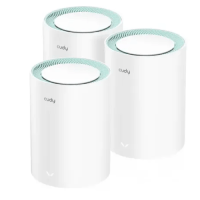
Cudy M1300 AC1200 Dual Band Gigabit Mesh Router (3 Pack)
-
IEEE 802.11ac/a/n/g/b
-
AC1200 (2.4GHz: 300Mbps, 5GHz: 867Mbps)
-
Yes, expandable with additional units
-
2 × Gigabit Ethernet (WAN/LAN auto-sensing)
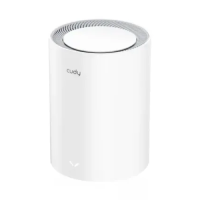
Cudy M1800 AX1800 Dual Band Mesh Router (1 Pack)
-
IEEE 802.11ax/a/b/g/n/ac
-
AX1800 (2.4GHz: 574Mbps, 5GHz: 1201Mbps)
-
Yes, expandable with additional M1800 units
-
1 × Gigabit WAN/LAN, 1 × Gigabit LAN

Cudy M1800 AX1800 Dual Band Mesh Router (2 Pack)
-
IEEE 802.11ax/a/b/g/n/ac
-
AX1800 (2.4GHz: 574Mbps, 5GHz: 1201Mbps)
-
Yes, expandable with additional units
-
1 × Gigabit WAN, 1 × Gigabit LAN

Cudy M1800 AX1800 Dual Band Mesh Router (3 Pack)
-
IEEE 802.11ax/a/ac/n/g/b
-
AX1800 (2.4 GHz: 574 Mbps, 5 GHz: 1201 Mbps)
-
Yes, expandable with additional units
-
1 × Gigabit WAN, 1 × Gigabit LAN

Cudy M3000 AX3000 2.5G Dual Band Wi-Fi 6 Mesh Router (3 Pack)
-
Up to ~6,000–7,000 sq. ft.*
-
IEEE 802.11ax/a/b/g/n/ac
-
AX3000 (2.4GHz: 574Mbps, 5GHz: 2402Mbps)
-
Yes, expandable network support

Cudy M3000 AX3000 2.5G Dual Band Wi-Fi 6 Mesh Router (1 Pack)
-
~2,000–2,500 sq. ft.*
-
IEEE 802.11ax/a/b/g/n/ac
-
AX3000 (2.4GHz: 574Mbps, 5GHz: 2402Mbps)
-
Yes, expandable with additional units

Cudy LT500 Outdoor Indoor/Outdoor 4G AC1200 Wi-Fi Router
-
2.4GHz – up to 300Mbps, 5GHz – up to 867Mbps
-
Standard micro-SIM
-
1 × WAN/LAN, 3 × LAN
-
2 × detachable high-gain LTE antennas

Linksys E1200 N300 Wi-Fi Router
-
Speed Up to 300Mbps/
-
Advance Wireless Security
-
Parental Control
-
Easy 3-step setup

Linksys E2500 Dual-Band Wireless-N N600 Router
-
Parental Control
-
Guest Access
-
Easy 3-step setup
-
Dual band (2.4 + 5 GHZ)

Linksys EA7500 Max-Stream AC1900 Dual Band Gigabit WiFi Router
-
3x external
-
Up to 12+ Devices
-
Up to 1.9 Gbps Wi-Fi speeds
-
AC1900 (N600 + AC1300)
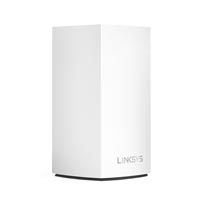
Linksys Velop WHW0101 AC1300 Dual Band Mesh Router (1 Pack)
-
Future-Proof and Secure
-
Designed to Fit Anywhere
-
Full-Strength Mesh WiFi with Velop
-
Alexa Wi-Fi Access, Mesh WiFi

Linksys WRT1900ACS AC1900 Dual Band WiFi Router
-
Ultra-Fast 1.6 GHz Dual-core Processor
-
Up to 4.3x faster than N technology
-
USB 3.0, eSATA, Gigabit Ethernet Ports
-
512MB RAM, Open Source Ready

Linksys MR8300 AC2200 Tri Band WiFi Router
-
Tri-Band, MU-MIMO
-
Auto Firmware Update
-
Built-in Mesh WiFi technology
-
4 Adjustable Antennas+ 6 High Power Amplifiers
Linksys MR9000X-AH AC3000 Tri-Band Mesh Wi-Fi Router
-
Ultra-fast WiFi with 3000 Mbps
-
4x external adjustable antennas
-
1x USB 3.0 port and Power
-
2.4 and 5 GHz(2x) (simultaneous tri-band)

Mikrotik CCR2004-16G-2S+ Cloud Core Router
-
4 GB
-
1700 MHz
-
128 MB
-
538Mbps Bandwidth Capacity

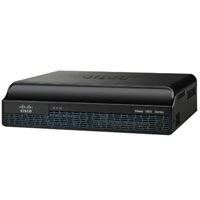
Cisco 1941-SEC/K9 Integrated Router
-
Firewall, VPN support
-
Cisco IOS
-
SMB and enterprise branch networking
-

Cisco 2921 Integrated Services Router
-
Integrated Services Router (ISR)
-
Cisco IOS
-
Modular
-
Firewall and VPN capable

Cisco CBS350-24T-4X-EU 24-Port Gigabit Managed Switch
-
512 MB
-
Rack-Mountable Design
-
24 x Gigabit Ethernet + 4 x 10G
-
800 MHz
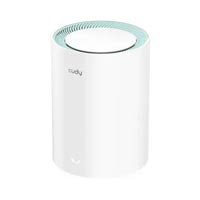
Cudy M1300 AC1200 Dual Band Gigabit Mesh Router (1 Pack)
-
867Mbps on 5GHz and 300Mbps on 2.4GHz
-
1 × 1000/100/10 Mbps WAN Port
-
1 × 1000/100/10 Mbps LAN Port
-
Up to 1600 square feet

Mercusys MR60X AX1500 Dual Band Gigabit WiFi 6 Router
-
4 × 5 dBi Fixed Omni-Directional
-
1201 Mbps (5 GHz) + 300 Mbps (2.4 GHz)
-
WPA3 Overall Security Protection, Smart Connect
-
1× Gigabit WAN Port + 2× Gigabit LAN Ports
Showing Products 113 - 140 of 192 Results
Wireless Router Price in BD | Buy High-Performance Models
In today’s digital age, a reliable wireless router is crucial for maintaining seamless connectivity in your home or office. Whether you’re streaming high-definition content, participating in video conferences, or simply browsing the web, the performance of your wireless router plays a significant role in your overall internet experience. Understanding the price range and features of wireless routers available in Bangladesh can help you make an informed decision, ensuring you get the best value for your investment.
Wireless routers come in various models and price points, each offering different features to meet diverse needs. From budget-friendly options to high-end models with advanced technology, the right router can greatly enhance your connectivity and provide a stable, high-speed internet connection. This guide will explore the top wireless router brands, types, features, and benefits available in BD, as well as key considerations to keep in mind before making your purchase. Discover why bme.com.bd is your go-to source for quality wireless routers and competitive prices in Bangladesh.
Top Wireless Router Brands in BD
When selecting a wireless router, choosing a reputable brand can significantly impact your connectivity experience. In Bangladesh, several brands stand out for their quality, performance, and value. Here are some of the top wireless router brands you’ll find:
TP-Link: Renowned for its affordability and reliability, TP-Link offers a wide range of routers that cater to various needs. Their devices are known for stable performance, easy setup, and robust security features, making them a popular choice for both home and small office use.
Netgear: For those seeking high-performance and advanced features, Netgear is a leading choice. Their routers are equipped with cutting-edge technology, such as high-speed capabilities and extensive range, ensuring excellent performance even in larger spaces.
Asus: Asus is synonymous with premium quality and innovation. Their routers often come with the latest advancements, including tri-band technology and powerful processors, making them ideal for high-demand environments like gaming and streaming.
D-Link: Offering a balance between innovation and value, D-Link routers are designed to meet diverse connectivity needs. Known for its user-friendly interfaces and reliable performance, D-Link provides options that fit various budgets and requirements.
Xiaomi: Xiaomi’s routers are recognized for their cost-effectiveness and solid performance. With features such as smart management and strong signal coverage, they offer great value for those looking to maximize their budget without compromising on quality.
Types of Wireless Routers Available in BD
Choosing the right type of wireless router is crucial for optimizing your internet experience. In Bangladesh, various types of routers cater to different needs and preferences. Here’s a breakdown of the main types available:
Basic Routers: Ideal for small homes or apartments, basic routers provide essential connectivity features at an affordable price. They offer reliable performance for everyday tasks like browsing and streaming in a limited coverage area.
Dual-Band Routers: These routers operate on two frequency bands—2.4 GHz and 5 GHz—allowing for improved performance and reduced interference. Dual-band routers are well-suited for medium to large homes, offering better speed and stability for multiple devices.
Tri-Band Routers: With three frequency bands, tri-band routers deliver exceptional performance for high-demand environments. They are perfect for larger homes or offices with many connected devices, providing superior speed and minimal interference.
Mesh Routers: Designed for expansive coverage, mesh routers use multiple units to create a unified network that eliminates dead zones. They are ideal for large homes or multi-story buildings, ensuring consistent and reliable connectivity throughout the entire space.
Gaming Routers: Optimized for gaming, these routers feature advanced technology to reduce latency and enhance speed. With built-in Quality of Service (QoS) and other gaming-specific features, they provide a smooth and uninterrupted gaming experience.
Features and Benefits of Wireless Routers
When choosing a wireless router, it’s essential to understand the key features and benefits that can enhance your internet experience. Here’s a look at the important aspects to consider:
Speed and Performance: Wireless routers come with varying speed capabilities, typically measured in Mbps (megabits per second) or Gbps (gigabits per second). Higher speeds, such as AC1200 or AC1900, support faster data transfer, enabling smooth streaming, gaming, and multitasking. Assess your internet usage and choose a router that aligns with your speed needs.
Range and Coverage: The range of a router determines how far its signal can reach. Routers with extended range are beneficial for larger homes or offices, ensuring consistent connectivity in every corner. Dual-band and tri-band routers, along with mesh systems, offer superior coverage by minimizing dead zones and signal drop-offs.
Security Features: Protecting your network from unauthorized access is crucial. Modern routers come equipped with advanced security protocols, such as WPA3 encryption, firewalls, and guest network capabilities. These features help safeguard your personal information and prevent cyber threats.
Ease of Setup: User-friendly setup processes can save time and frustration. Many routers offer intuitive interfaces, mobile app management, and automated setup wizards, making it easier to get your network up and running without technical hassles.
Additional Features: Some routers include extra functionalities that enhance user experience. Look for features like USB ports for networked storage, MU-MIMO (Multi-User Multiple Input Multiple Output) technology for simultaneous data streams, and Quality of Service (QoS) to prioritize bandwidth for critical applications.
Things to Keep in Mind Before Making the Final Purchase
Selecting the right wireless router requires careful consideration to ensure you get the best performance and value. Here are key factors to keep in mind before making your final purchase:
Internet Speed Compatibility: Ensure the router you choose is compatible with your Internet Service Provider (ISP) speed plan. A high-speed router is essential for maximizing your internet connection and avoiding bottlenecks. Check the router’s specifications to match or exceed your ISP’s speed offerings.
Coverage Area: Consider the size and layout of your home or office when selecting a router. Basic routers may suffice for small spaces, while larger areas might benefit from dual-band, tri-band, or mesh routers for extended coverage and fewer dead zones.
Future-Proofing: Technology evolves rapidly, so it’s wise to invest in a router that supports the latest standards and advancements. Look for features like Wi-Fi 6 or Wi-Fi 6E, which offer improved performance and efficiency, ensuring your router remains relevant for years to come.
Budget: Balance your needs with your budget. While higher-end models offer advanced features, there are budget-friendly options that provide excellent performance for basic needs. Determine your essential features and find a router that meets those needs within your price range.
Brand and Warranty: Choose a reputable brand known for quality and reliability. Also, consider the warranty offered with the router. A good warranty can provide peace of mind and protection against potential defects or issues.
Customer Reviews and Ratings: Before making a purchase, check customer reviews and ratings to gauge the router’s performance and reliability. Feedback from other users can offer valuable insights into the router’s real-world performance and any potential issues.
Why Should You Buy from bme.com.bd?
Warranty: We provide comprehensive warranty coverage for all our wireless routers, giving you peace of mind with your purchase. Our warranty terms ensure that you’re protected against potential defects and issues, so you can enjoy your router with confidence.
Customer Support: Our dedicated customer support team is available to assist you before, during, and after your purchase. Whether you need help choosing the right router, setting it up, or troubleshooting any issues, our knowledgeable staff is here to provide prompt and effective assistance.
Competitive Pricing: At bme.com.bd, we strive to offer the best prices on wireless routers. Our competitive pricing ensures that you receive great value for your investment without compromising on quality. We regularly update our prices to reflect the latest market trends and provide attractive deals and discounts.
10 Best Wireless Router Price Lists in Bangladesh
|
No |
Wireless Routers Models Lists |
Price BDT |
|
1 |
৳999 |
|
|
2 |
৳1,039 |
|
|
3 |
৳1,275 |
|
|
4 |
৳1,500 |
|
|
5 |
৳1,575 |
|
|
6 |
৳3,200 |
|
|
7 |
৳3,500 |
|
|
8 |
৳3,680 |
|
|
9 |
TP-Link Deco M4 AC1200 Whole Home Mesh Wi-Fi System (2-Pack) |
৳9,750 |
|
10 |
TP-Link Deco M4 AC1200 Whole Home Mesh Wi-Fi System (3-Pack) |
৳14,800 |
FAQs About the Wireless Router User
Do wireless routers come with a warranty?
Yes, most wireless routers come with a manufacturer's warranty. The duration and coverage details vary by brand and model. Check specific warranty terms on the product page or with customer support.
How important is router speed for my internet experience?
Router speed is crucial for smooth and fast internet performance. Higher speeds, such as those provided by AC1200 or AC1900 routers, are essential for activities like streaming HD content or online gaming.
What is the difference between dual-band and tri-band routers?
Dual-band routers operate on 2.4 GHz and 5 GHz bands, offering better performance and less interference. Tri-band routers include an additional 5 GHz band, providing even greater speed and reduced congestion for high-demand environments.
Can I use a wireless router with any internet service provider (ISP)?
Most wireless routers are compatible with major ISPs, but it's essential to check compatibility with your specific ISP and plan. Ensure the router supports the speed and connection type provided by your ISP.
What additional features should I look for in a wireless router?
Look for features like advanced security protocols (WPA3), USB ports for networked storage, Quality of Service (QoS) for bandwidth management, and mobile app controls for easier management.

